

DisplayPort 2.1 Cable Custom Options: A Complete Guide to High-Performance Connections
2026-10-23
Most guides treat DisplayPort 2.1 cables like they're all the same. They're not—especially when custom options enter the picture. From ultra-high refresh rates to dense multi-monitor setups, the right cable can mean the difference between a flawless signal and a frustrating black screen. In this guide, we'll break down what actually matters when specifying custom DisplayPort 2.1 cables, and why EBCYX has become a go-to for builders who refuse to compromise.
Tailoring Connector Styles Without Sacrificing Signal Integrity
Connector choice often feels like a trade-off between form and function. A sleek, low-profile header might save board space, but it can introduce crosstalk or degrade return loss at high frequencies. Yet blind adherence to bulky, proven designs can leave a product looking dated or over-engineered. The real challenge lies in recognizing which mechanical variations actually matter for signal integrity, and which are simply aesthetic. For instance, changing the plastic shroud color or adding a polarizing key rarely impacts electrical performance, but altering contact geometry, plating thickness, or the dielectric constant of the insulator can shift impedance and skew dramatically. Smart teams start by mapping the connector’s role in the net: is it a high-speed differential pair, a slow control line, or a power rail? Each answer points toward a different tolerance for style customization without risking bit errors.
A more nuanced approach involves treating the connector as part of the transmission line rather than a discrete component. When you tailor the housing shape or latch mechanism, you can compensate elsewhere—say, by adjusting the PCB footprint’s reference plane cutouts or tuning the launch via diameter. Many engineers overlook that even small changes in the air gap around a contact can alter capacitance enough to shift the impedance by several ohms. Instead of relying on a single “golden” connector, successful designs often build a small matrix of style variants, each measured with a vector network analyzer under realistic mating cycles. Only then can you confirm that a right-angle, push-pull connector performs just as cleanly as its vertical, screw-lock sibling. The key is to validate the whole channel, not just the connector in isolation.
Field experience reveals another layer: mechanical robustness and signal integrity are not separate conversations. A connector style that looks modern but requires excessive insertion force may cause board flex or cracked solder joints over time, leading to intermittent opens that masquerade as signal problems. Conversely, a ruggedized shell with extra shielding can actually improve EMI margins while giving designers more freedom to experiment with latch styles. The most effective teams treat connector tailoring as an iterative dialogue between the industrial designer, the SI engineer, and the mechanical team. By using parametric 3D models tied to simulation results, they can quickly test how a shorter body or a different keying feature affects both the eye diagram and the assembly process. The outcome is a connector that feels intentional—not a compromise—because it was shaped with signal integrity as a core constraint, not an afterthought.
Length Choices That Keep UHBR20 Speeds Intact
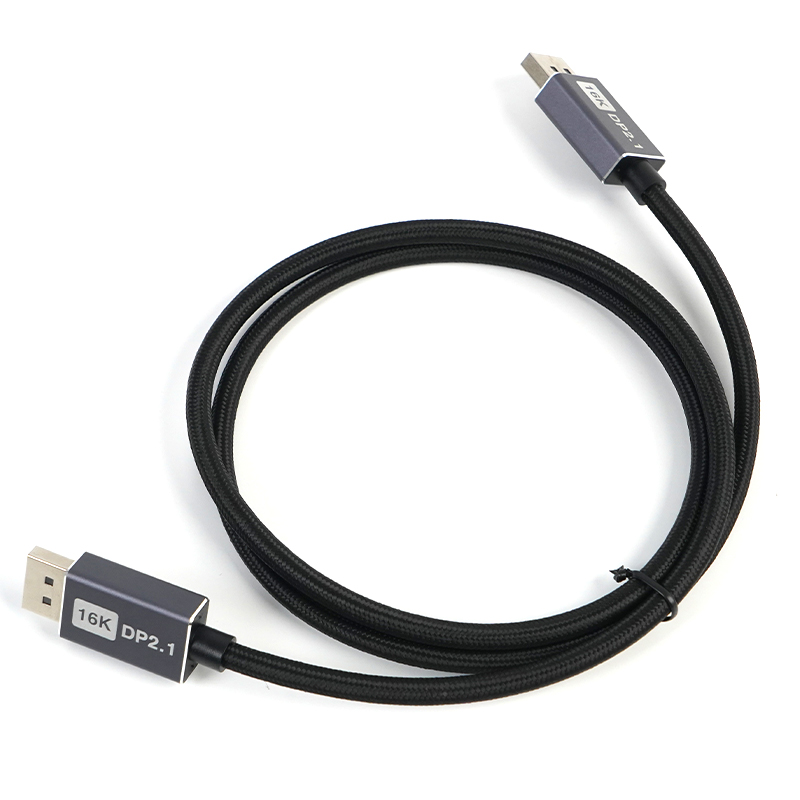
Keeping UHBR20 at its rated throughput isn't just about the ports on each end—cable length quietly dictates whether the link negotiates the full 80Gbps or steps down. With passive copper, shorter runs generally win. Once you cross the one-meter mark, insertion loss and crosstalk eat into the signal margins that UHBR20 depends on, so the controller often falls back to a lower speed class without warning.
If the setup demands more distance, active cables with internal retimers become the practical workaround. They clean up the signal at intervals and can sustain UHBR20 over two or even three meters, though they draw extra power and can add a few milliwatts of idle consumption. The smart move is to match length to the actual desk layout: keep passive runs under a meter for guaranteed UHBR20, and reserve active cables for the rare cases where the extra reach is truly necessary.
Jacket Materials and Shielding for Harsh Real-World Use
A jacket that survives a warehouse floor or an offshore rig isn't just a thicker version of a standard one. We lean on polyurethane and TPE blends because they shrug off cuts, oil, and repeated flexing without turning brittle. Nylon and PVC still show up, but they have limits once temperatures swing or solvents get involved. The real trick is matching hardness to the specific abuse: too durometer-stiff and you crack at bend points; too soft and you invite tears.
Shielding has to work while the world tries to crush it. A bare foil wrap is fine on a bench, but in the field it needs a braid over it—usually tinned copper—to survive connector terminations and constant movement. We also add a drain wire that can handle ground faults without acting like a fuse. For high-flex areas, spiral shields can be useful, but they don't give full coverage, so we reserve them for places where EMI is low and motion is constant.
Weather and chemical exposure call for jacketing that handles more than one threat at a time. Thermoplastic vulcanizates can take UV, salt fog, and cold down to -40°C without cracking, while fluoropolymers earn their keep in high-heat, caustic environments. It's not about finding one miracle material; it's about picking the failure mode you can live with and building layers around it.
Custom Pinouts and Locking Mechanisms for Field Reliability
Field failures often trace back to connectors that look identical but aren't. By assigning unique pinout patterns to different signal types or voltage rails, assembly mistakes drop sharply. A reversed sensor cable or swapped power line becomes physically impossible when the keyed insert and asymmetric pin spacing don't line up with the wrong mating half.
Locking goes beyond a simple friction fit. Threaded collars with ratchet stops, bayonet lugs that click into detents, or push-pull sleeves with an internal latch all prevent gradual loosening from vibration and thermal cycling. The best designs add a secondary lock, such as a sliding collar that must be retracted before unmating, so accidental disconnects during maintenance don't happen.
When custom pinouts and positive locking are combined, field reliability improves because both electrical miswiring and mechanical separation are engineered out. This matters most in remote installations where a service visit costs more than the connector itself, and where intermittent contact can corrupt data or shut down an entire loop.
Color, Branding, and Bend Relief That Match Your Build
The finish isn’t painted on as an afterthought—it’s baked into the material selection from the start. You can pick a hue that echoes the anodized accents on your frame, or go with a muted tone that lets the structural lines do the talking. Under workshop lighting, the surface picks up just enough texture to avoid looking flat, without turning into a fingerprint magnet.
Branding here is a matter of placement, not prominence. A small debossed mark sits near the bend line where it won’t interfere with cable routing or mounting hardware. If you prefer a clean face, the mark can be hidden on an internal surface, visible only when the panel is removed.
The bend relief geometry isn’t a one-size-fits-all notch. It follows the actual bend radius and material thickness of your specific build, so the corner doesn’t crack during forming or fatigue later under vibration. That means you get a crisp edge without sacrificing long-term durability in the field.
Hybrid Fiber and Active Designs for Long-Distance 80 Gbps Runs
Pushing 80 Gbps past a hundred meters quickly separates designs that survive from those that barely function. Passive copper tops out early, and lone single-mode fiber without active conditioning forces you into expensive modulation schemes or tighter tolerances than most boards can handle. The workable middle ground blends short multi-mode segments for rack-level reach with single-mode links extended by retimers or active optical cables, so the signal sees a clean edge at every handoff instead of accumulating jitter over the whole path.
Active designs make the biggest difference when the run spans multiple enclosures or crosses a building backbone. Rather than chasing exotic equalization at the host, you place a small driver or CDR right where the medium changes — say, at a patch panel converting MMF to SMF. This keeps the electrical interface short and predictable, while the optical side can tolerate kilometers of dispersion without blowing the link budget. Power and heat become the real trade-off: each active stage adds a watt or two, and in dense racks that forces airflow planning you would not need with a short passive link.
For long 80 Gbps runs, the winning pattern is rarely one technology but a tiered approach. Use very short twinax inside a shelf, active optical cables up to about 30 meters, and discrete optics with FEC for anything beyond. Testing each segment with realistic PRBS patterns at temperature extremes catches the odd bit errors that datasheets hide. The result is a link that behaves like a local interconnect despite spanning a floor, without the bill-of-materials shock of all-single-mode active gear from end to end.
FAQ
You can order anything from a short 0.5-meter jumper to a 15-meter run, though the upper end depends on whether you go active or passive. For passive cables, staying under 2 meters is the safest way to guarantee full UHBR20 throughput. Longer lengths usually require built-in signal conditioning to keep the connection stable.
Standard DisplayPort plugs are the default, but many shops will build mini DisplayPort or even mixed cables with one full-size end and one mini end. You can also ask for right-angle or low-profile connectors if clearance is tight behind a monitor or GPU.
Thicker conductors, like 26 AWG or lower, reduce resistance and help maintain signal integrity over distance. For 8K at high refresh rates, a heavier gauge is worth the extra stiffness. Thinner 30 or 32 AWG wires are fine for short desktop runs but can struggle beyond a couple of meters.
Yes, PVC is the most common and affordable, but it can be stiff in cold environments. TPU or silicone jackets stay flexible and resist cuts better, making them a solid pick for studio or frequent re-routing. Braided nylon sleeves add abrasion resistance and a more premium feel.
Look for cables with both aluminum foil and a high-coverage copper braid. That combination blocks external noise from power lines or wireless gear far better than a simple spiral wrap. Some custom builders also offer extra grounding tabs on the connector shell for sensitive AV setups.
Absolutely, but you need to specify UHBR20 support when ordering. These cables are built with tighter impedance tolerances and higher-quality dielectric materials to carry 80 Gbps. Be ready for a stiffer, thicker build compared to a basic 40 Gbps cable.
Passive cables are cheaper and draw no power, so they are perfect for lengths under two meters. Active cables use an embedded chip to boost the signal, which lets you run longer distances without artifacts but adds a small failure point and often needs a powered source side.
If you manage a multi-workstation setup or just want to tell cables apart at a glance, yes. Printed labels or colored boots prevent mix-ups and speed up troubleshooting. The cost is usually modest compared to the time saved hunting for the right cable.
Conclusion
DisplayPort 2.1 cable customization goes far beyond picking a standard length. To maintain UHBR20's 80 Gbps throughput, the physical design must be treated as a system: connector termination, conductor geometry, and shielding all interact. Custom pinouts and positive-locking shells prevent accidental disconnects in vibration-heavy environments, while hybrid fiber or active copper designs use embedded signal conditioning to extend reach without sacrificing eye margin. Rather than guessing, engineers should characterize insertion loss and crosstalk across the entire assembly, because a seemingly minor tweak—like swapping a strain relief for a more flexible overmold—can shift impedance enough to break link training at 20 Gbps per lane.
Material choices also drive real-world reliability. Jackets made from thermoplastic polyurethane or specially compounded PVC resist abrasion, oil, and UV exposure better than generic PVC, reducing field failures in broadcast studios or factory floors. Color coding, laser-etched branding, and custom bend reliefs let integrators match the cable to existing hardware while aiding cable management in dense racks. Different shielding constructions—served foil, braided copper, or spiral wrap—provide varying balance between flexibility and EMI immunity, so the selection should reflect the installation's ambient noise profile. Ultimately, a well-specified custom DisplayPort 2.1 cable delivers the same assurance as an off-the-shelf certified assembly but is tuned for the exact operational stresses it will face.
Contact Us
Contact Person: David Yang
Email: [email protected]
Tel/WhatsApp: 8615814734054
Website: https://www.ebcyx.com/